Amazon sellers poured billions into ads in 2026, but without a clear strategy, much of that budget is wasted. In 2026, industry estimates suggest that Amazon’s ad spend hit over $60 billion, yet many accounts still waste around 20 to 30% of their PPC budget.
Therefore, a proper Amazon PPC strategy is essential to avoid overspending and drive sales. In this guide, we share key tactics, from listing optimization to bidding formulas, that ensure your ads convert efficiently.
Follow these steps to structure campaigns, target the right keywords, and squeeze maximum ROI. Read till the end to learn about proven PPC advertising strategies that work.
Before you dive in, take a look at this helpful Reddit discussion on Amazon PPC tips for beginners and advanced sellers.
Top 8 Practical Amazon PPC Strategies for Beginners
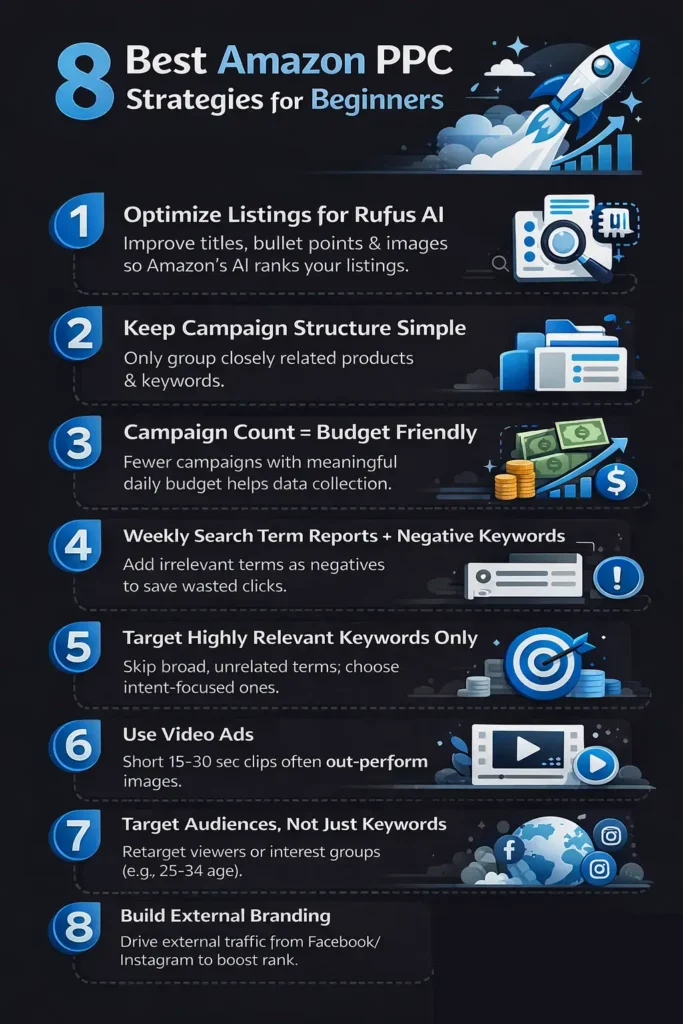
For beginners aiming to master the Amazon PPC campaign strategy, we have picked eight practical tactics to launch profitable campaigns.
1. Optimize Listings for Amazon’s AI (Rufus)
Amazon’s new Rufus AI assistant ranks products by relevance and authority. Optimize listings to satisfy Rufus by clarifying product details and benefiting from off-site trust signals. Go through this simple workflow to optimize listings:
- Ask Rufus Key Questions: In your Seller Central listing, use Rufus to ask about your product’s purpose, likes/dislikes, and comparisons.
- Use AI (ChatGPT): Feed Rufus feedback and your current listing into ChatGPT. Prompt it for optimization suggestions on titles, bullets, images, and keywords.
- Follow Up Strategically: Ask additional targeted questions (“What do customers ask most?”) to uncover gaps in your listing strategy.
- Build and Apply a Plan: Use the combined insights to rewrite your title, features, and A+ content with the right terms and angles.
2. Keep Your Campaign Structure Simple
Complicated setups can dilute your budget and make optimization hard. Limit each campaign to a few closely related products and keywords. For example, group one product or product line per campaign. Avoid splitting too many ASINs or unrelated keywords together.
Moreover, use a few clear ad groups rather than many tiny ones. Follow these simple tips to keep your campaign structure much simpler.
- Don’t Overcomplicate Setup: For this, use simple names and settings so you can track performance easily.
- Don’t Target Too Many Products at Once: Focus each campaign on a small product set for clearer results.
- Don’t Create Excess Ad Groups: One or two well-defined ad groups per campaign is enough for a beginner’s account.
3. Limit Campaign Count to Your Budget
Each campaign shares your money in the bank, so you need to master an Amazon PPC budget strategy. Starting with too many campaigns can exhaust funds before data accrues. So, you need to aim for the number of campaigns for the daily budget. For instance,
- A $100 per day budget was wasted trying to run 10 campaigns (only a few dollars each). Reduce to 3 campaigns ($33 each), let ads run all day, and gather insights.
- With $300 per day, you should only run 6 campaigns at $50 each.
Use this formula to count the maximum number of campaigns for your budget.
Count Formula (Max Campaigns) = (Total Daily Budget × 0.8) / Avg Min Per Campaign
Amazon will auto-extend the budget up to 10 to 25% on high-intent traffic.
4. Weekly Search Term Reports + Negative Keywords
Every week, pull the Search Terms report (lookback window of 65 days) on Seller Central from Amazon Ads. This shows exactly what shoppers searched when your ads appeared. Sort by spend vs. sales to find wasted clicks. Any search terms with high spend but no sales should be added as negative keywords in the appropriate campaigns.
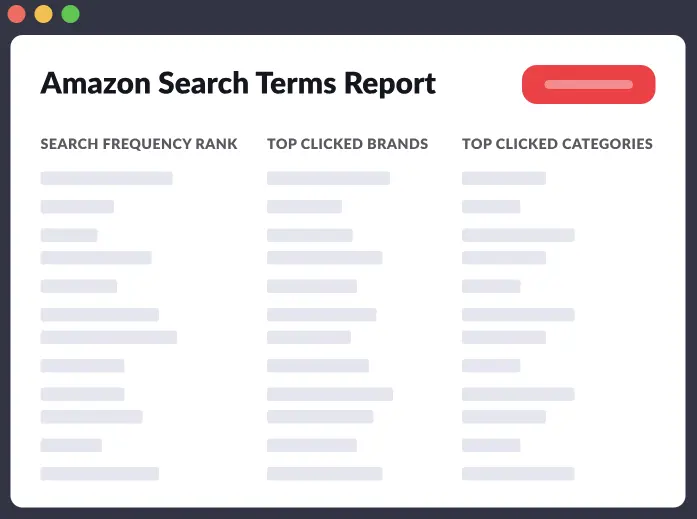
While applying this Amazon PPC strategy for beginners, use phrases or exact match negatives to prevent irrelevant terms from wasting money. For example,
- If “women’s [your product]” is spending heavily but you sell only men’s versions, add it as a negative.
- Broad irrelevant terms like “cheap” or unrelated products should be excluded to refine targeting.
To further understand this strategy, read this article and learn how Amazon seller reports can help you optimize campaigns.
5. Keep Keyword Targeting Highly Relevant
Only target keywords closely tied to your product, as broad matches can trigger unrelated searches. Instead, use phrase/exact or broad + modifiers (add + before each required word) to tighten relevance. If a keyword isn’t relevant, skip it entirely. Take guidance from the following tips to better apply this Amazon PPC keyword strategy.
- Add each keyword only if it accurately describes your product.
- Use Seller tools or Jungle Scout’s Keyword Scout to find relevant search terms.
- Monitor each keyword’s performance and pause any that drift off-topic.
6. Use Video Ads Over Static Images
Video ads on Amazon (especially Sponsored Brands Video) generally engage shoppers better than images. A short lifestyle or demo video can drive higher CTR and conversions.
Amazon even offers an AI Video Creator in the ads console. On this tool, you can simply upload your product images and text, and it auto-generates a video ad for you.
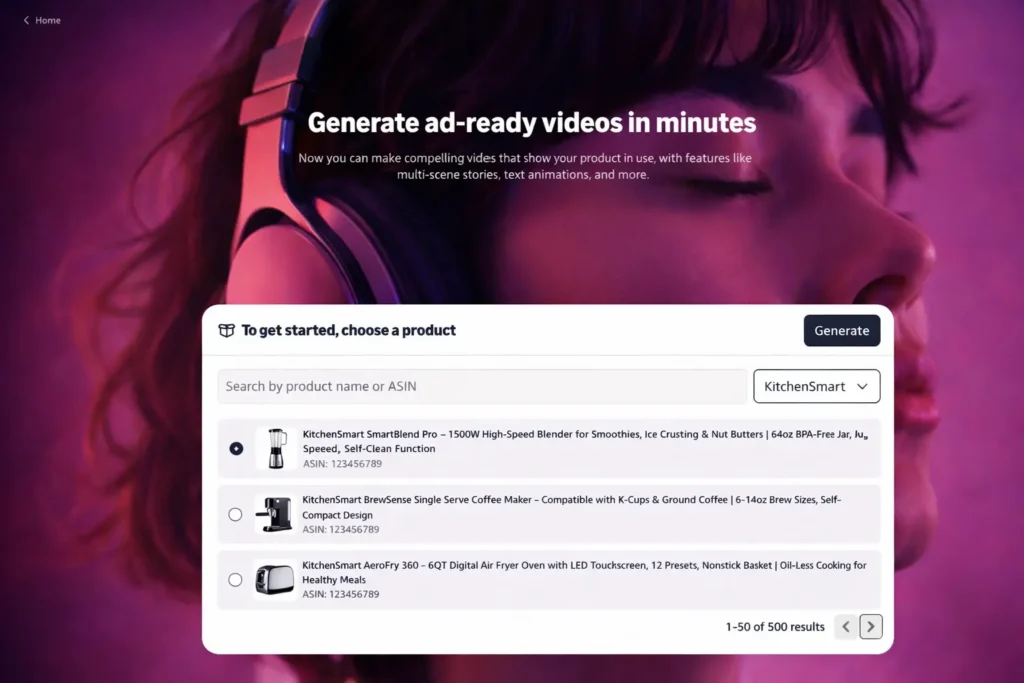
So, you can use this tool to quickly produce video content. Even simple 15 to 30-second videos highlighting your product’s features can outperform a static image ad.
7. Target Audiences, Not Just Keywords
Another successful Amazon PPC campaign strategy is to broaden your reach by using audience targeting. For example, Sponsored Display allows you to target customers by interests, behaviors, or demographics. You can retarget shoppers who viewed your product or target similar audiences. Some actionable tips include:
- Create Audience Segments: Define ad groups for specific demographics (age 25 to 34) or interests related to your product.
- Combine with Keywords: Mix keyword targeting with audience segments to capture both search intent and relevant shoppers.
8. Build Branding Outside Amazon
For better sales, drive external traffic to complement PPC. Promote your products on social media (Facebook, Instagram, TikTok), your website, and via email to create brand awareness. Apart from that, use affiliate programs or influencers to boost visibility.
External branding efforts bring in organically interested shoppers and make your Amazon ads more effective. For example, running Facebook ads to an Amazon listing can raise its Best Seller Rank and improve ad performance. As Impact Wolves suggests, linking products on Facebook and using influencer campaigns can significantly boost Amazon sales.
While applying all these strategies, avoid these PPC optimization mistakes to double the return on investment.
How to Create an Amazon PPC Strategy?
To build a solid Amazon PPC optimization strategy, follow these steps:
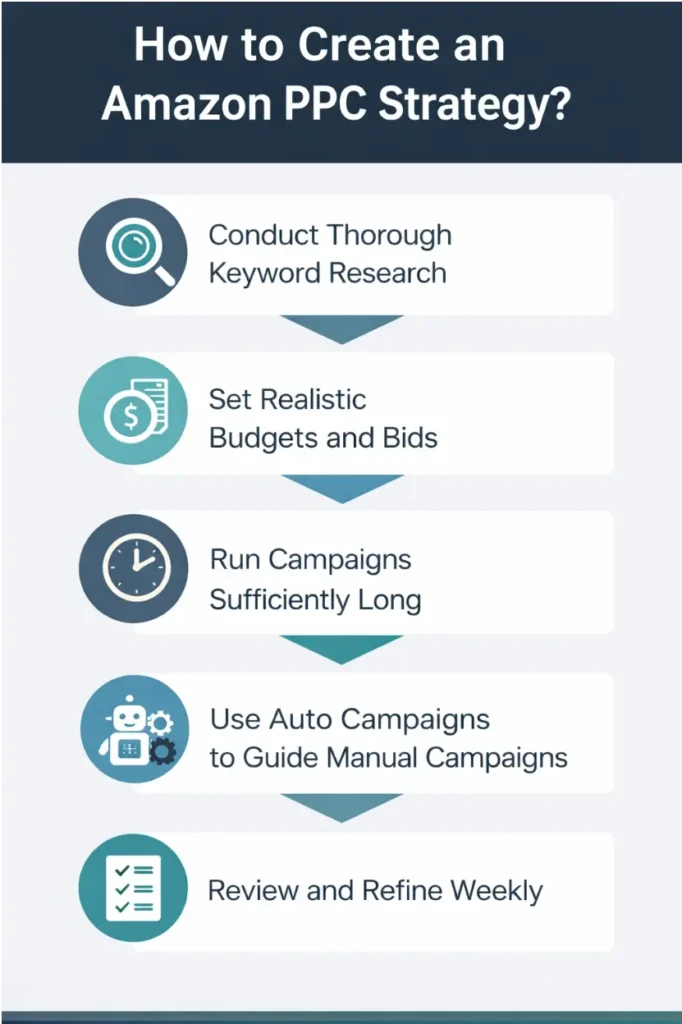
1. Conduct Thorough Keyword Research
Use tools, such as Keyword Scout, to find relevant search terms. Look at competitors’ keywords and focus on those with high buyer intent. After that, compile a list of priority keywords and ensure they match your product.
2. Set Realistic Budgets and Bids
When starting, set your daily budget and default bids higher than Amazon’s minimum suggestion. This ensures your ads show enough times to gather data. For example, if Amazon suggests a $1 bid, try $1.50 or $2 to win auctions early.
To better plan your budget, go through this guide to learn how much Amazon advertising costs.
3. Run Campaigns Sufficiently Long
Let new campaigns run at least 2 weeks before major changes. This duration collects enough clicks to evaluate performance. Initial data can be noisy, so give ads time to stabilize. After two weeks, review results and make optimizations.
4. Use Auto Campaigns to Guide Manual Campaigns
Start with an automatic-targeting Sponsored Products campaign. Collect search terms from it, then add high-performing ones to a manual-targeting campaign. While applying this PPC strategy, ensure any keyword you remove from manual has had 10 clicks. This approach helps you build effective manual campaigns with proven keywords.
5. Review and Refine Weekly
Analyze campaign reports once a week. Pause underperforming keywords, add new negative keywords, and reallocate budget to winners. Continuous tweaks (adjust bids, budgets, and keywords based on current data) keep your campaigns efficient.
How to Properly Optimize PPC Campaigns?
After launch, ongoing optimization is key. Try these Amazon PPC optimization strategies to get the best out of your campaigns.
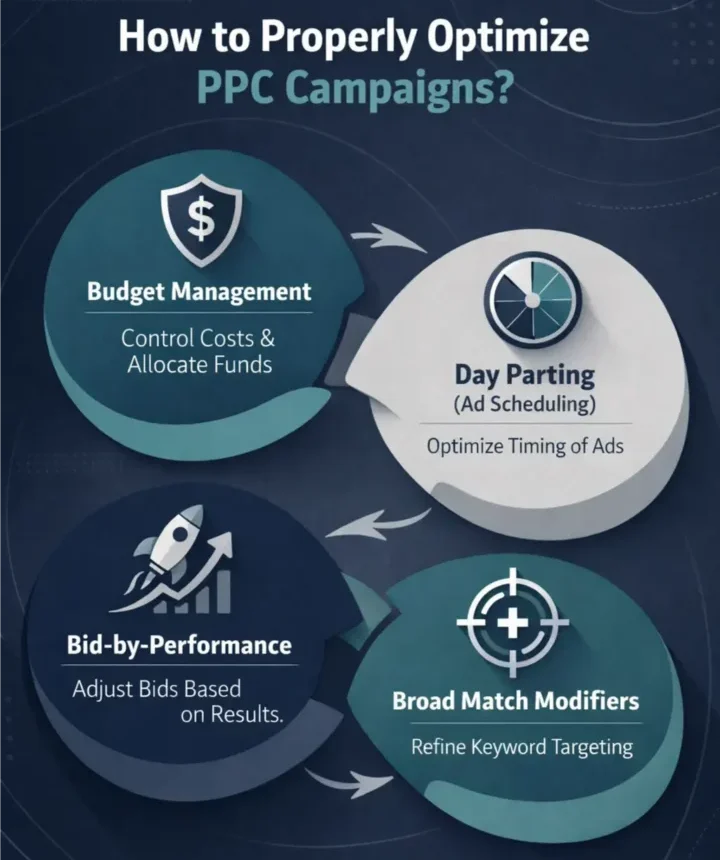
Budget Management
You need to make sure that no campaign shuts off midday. Increase budgets on high-performing campaigns, so ads run through peak hours.
Day Parting (Ad Scheduling)
Identify your peak conversion hours and days. Moving forward, schedule higher bids during those times (and lower bids off-peak) to focus spending when buyers are active.
Broad Match Modifiers
Add a + before must-have words in broad match keywords. This forces the inclusion of key terms, reducing irrelevant impressions. For example, use +red +running +shoes to only match searches containing those words.
Bid-by-Performance
Monitor ACoS for each keyword. When you see High ACoS, simply reduce bids by 20 to 30% to cut waste. In case of Low ACoS, raise bids or budgets to maximize sales volume. Read this article to see how Amazon TACoS can transform your PPC strategy.
What is the Starting Bid Formula for Amazon PPC?
Here’s a simple formula you can follow to optimize your Amazon PPC budget strategy:
The Starting Bid = Target ACoS × Product Price × Conversion Rate
- Target ACoS: It is the percentage of sales you’re willing to spend. For example, 30% means $30 ad spend on a $100 sale.
- Product Price: The retail price (what the customer pays).
- Conversion Rate: The percentage of clicks that convert to orders. (Calculated as orders per session ×100).
How to Create Sponsored Products Ads?
Launching a Sponsored Products campaign involves these steps:
Step 1. In Seller Central, go to Advertising > Campaign Manager, then click Create Campaign.
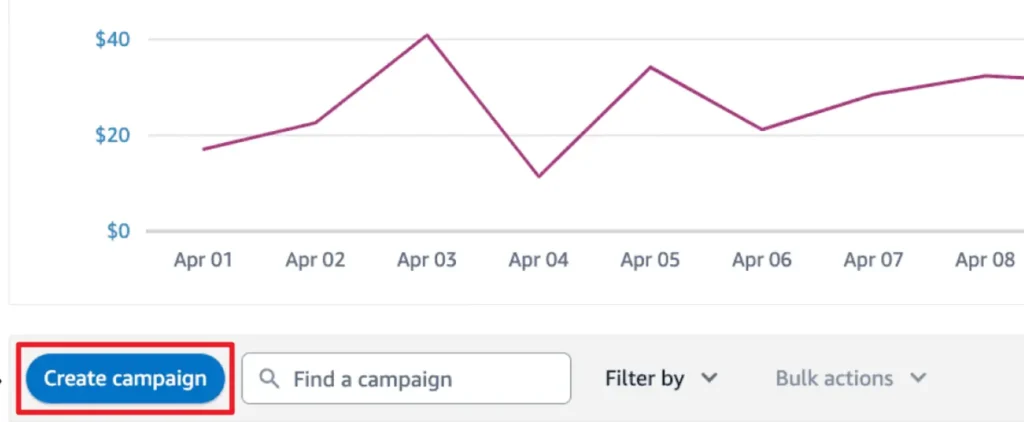
Step 2. Moving forward, select “Sponsored Products” when prompted.
Step 3. Now, enter a descriptive campaign name, select start/end dates, and set a daily budget. Leave the end date blank for ongoing campaigns. Allocate enough budget so ads aren’t cut off.
Step 4. Pick Automatic targeting to let Amazon choose keywords for you, which is useful for beginners. You can also create a manual campaign later using specific keywords.
Step 5. For automation, select a dynamic bid strategy. “Dynamic Bids – Up and Down” is recommended for starters, as Amazon will raise bids for likely conversions.
Step 6. Name your ad group (“Auto – [Product Name]”), and add products to advertise. For simplicity, use one product per ad group when starting.
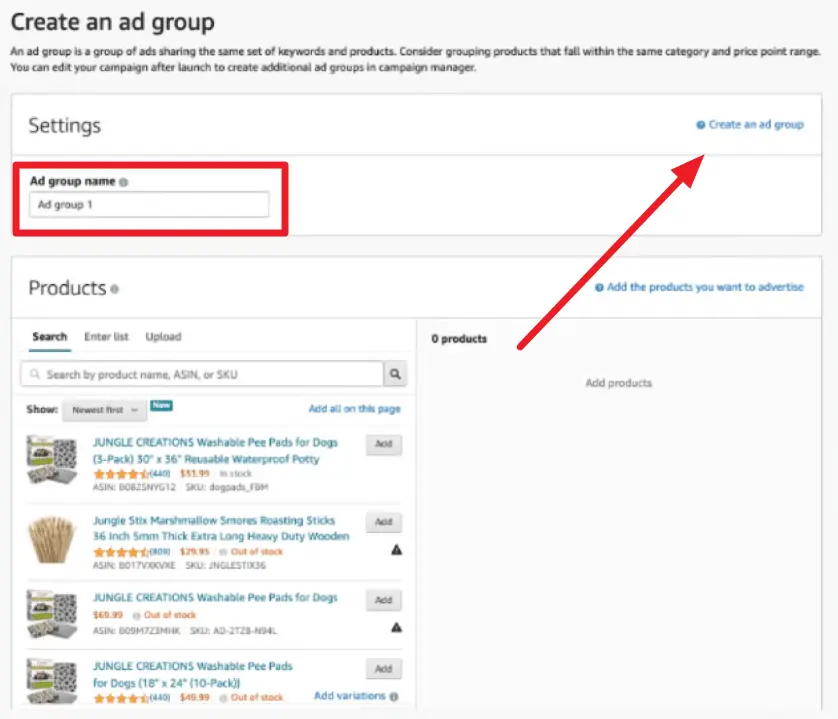
Step 7. Following that, enter a default bid for your keywords. Amazon suggests $0.75, but many beginners bid higher ($1.50 to $2.00) to gather early data.
Step 8. Finally, double-check all settings, then launch your campaign. Ads will now run according to your parameters, which you can monitor and tweak as performance data comes in.
How to Choose the Right Amazon PPC Ad Type?
Selecting the proper ad type for your PPC advertising strategies depends on your goals and budget. Here are some scenarios in which you can choose different types of ads:
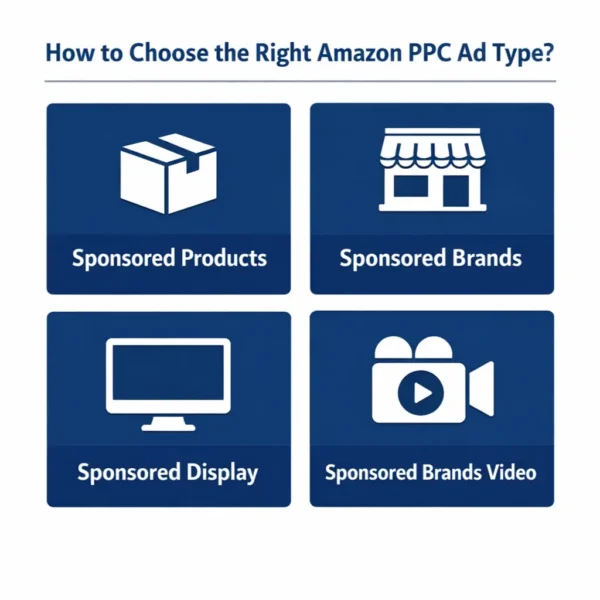
Sponsored Products:
It is best for driving direct sales of individual items. They appear in search results and detail pages, and are the most common ads. Use these if you want customers to find and buy a specific product.
Sponsored Brands
They are ideal for brand building and promoting multiple products at once. These ads show your logo, custom headline, and a product collection at the top of search results. Use Sponsored Brands to increase brand awareness or highlight a product line.
Sponsored Display
They are designed for retargeting and reaching audiences based on behavior. These ads can target shoppers who viewed related products or match demographic segments. Hire PPC Ad managers from Impact Wolves to engage past visitors or similar audiences.
Sponsored Brands Video
If you have brand registry and video assets, use video ads. A short product video can capture attention more than static ads (up to 15 to 30 seconds recommended). This is great for showcasing product features with motion.
Why Should You Hire an Amazon PPC Agency to Boost Your Account?
We recommend you hire an Amazon PPC management agency to bring expertise and efficiency to your campaigns. An agency’s team deeply analyzes your account (keywords, bids, placements) to cut waste and target profitable traffic.
They perform ongoing tests and optimizations you might miss, freeing you from the trial-and-error process. Many experienced brands view agency fees as an investment because experts prevent wasted ad spend and unlock growth.
In fact, data shows that agency fees are often a small fraction of the new revenue and cost-savings they deliver. In short, a PPC partner like Impact Wolves benefits your campaigns by saving time and maximizing ROI.
Case Studies
Here are some case studies from Impact Wolves to show their expertise in Amazon PPC campaign strategy optimization.
8-Figure Brand Expansion
An established automotive brand with over 200 SKUs partnered with Impact Wolves. By restructuring campaigns and targeting relevant keywords, we boosted detail-page views by 60% and drove ACOS below 10%. This efficient PPC strategy helped the brand achieve eight-figure Amazon sales in a short period.

Biovantic Pharma
Using Impact Wolves’ PPC plan, a nutraceutical brand saw sales jump 97% while its TACoS (Total ACoS) fell to 7.29%. This dramatic improvement came from precise keyword targeting and constant optimization. In other words, nearly doubling sales at a lower advertising cost validated the strategy’s effectiveness.
Conclusion
Amazon PPC can be highly profitable with a clear plan. Key strategies include optimizing listings for Amazon’s AI, leveraging video ads, and using the Target ACoS formula. Success depends on data-driven decisions, regularly reviewing search term reports and adjusting bids and keywords ensures you spend your budget efficiently. By applying these strategies or partnering with experts, your ads will reach the right buyers more effectively.
Frequently Asked Questions
What does an Amazon PPC specialist do?
An Amazon PPC specialist sets up and manages your Amazon ad campaigns. They research and select high-intent keywords, create campaigns, and set initial bids. Plus, they monitor performance metrics and optimize targeting to improve ROI.
Can you make $10,000 a month selling on Amazon?
Yes, many Amazon sellers earn $10K+ per month, but it depends on product margins and strategy. Achieving $10K per month requires high-demand products, optimized listings, and effective marketing.
How does Amazon PPC bidding work?
Amazon PPC uses a cost-per-click bidding model. You set a maximum bid for each keyword. In auctions, Amazon considers your bid and ad relevance to determine if and where your ad shows. You pay only when someone clicks your ad.
What is the PPC bidding model?
Amazon’s PPC bidding model is essentially pay-per-click. You set a bid (how much you’ll pay for a click), and Amazon runs an auction each time a relevant search happens.
What are the four smart bidding strategies?
Amazon’s four smart bidding strategies include Dynamic Bids – Down Only lowers bids when conversion likelihood is low, Dynamic Bids – Up and Down to increase or decrease bids based on purchase intent. In addition, PPC experts use Fixed Bids to keep bids unchanged for full control and the Top of Search placement adjustments boost bids for premium visibility when needed.